

Document scanner

Document scanner and PDF scanner for Android

Point your phone at any paper and BharatScanner finds the page, takes the photo by itself when it's steady, and saves a crisp, searchable PDF. Free, no sign-up, and your documents stay on your phone.

Get it on Google Play
  • Free, no sign-up
  • Android 7 and up
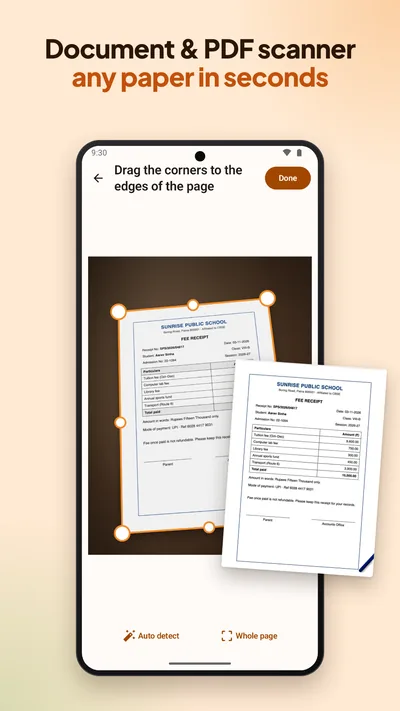
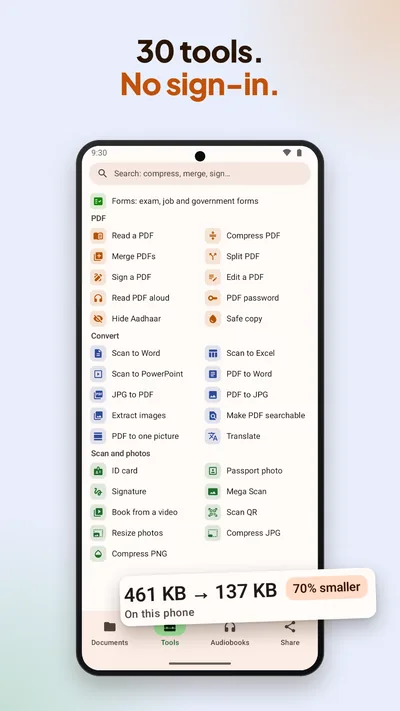
BharatScanner finding the edges of a fee receipt and scanning it: Document and PDF scanner, any paper in secondsBharatScanner's tools: Compress PDF, Merge, Sign, Read PDF aloud, Hide Aadhaar and more. A file made 70% smaller on the phone

How to scan a document to PDF

  1. Point the camera at the page

    Open BharatScanner and tap Scan. It finds the edges of the page and takes the photo by itself when the phone is steady. A volume key or a Bluetooth selfie remote works as the shutter too.

  2. Check the corners

    Drag a corner if the page needs a better fit. BharatScanner warns you when a photo is blurry, so you can take it again before you move on.

  3. Scan the next page

    Put the next page down and it takes that one as well. Turn on voice commands and just say “next” to take a page without touching the phone.

  4. Pick a look

    Auto makes the page crisp and straight. Bright, Grey, Black & white and Original are one tap away.

  5. Save and share

    Save a searchable PDF, or JPG, Word, Excel or PowerPoint. Each scan gets a sensible name and category by itself, and search finds any word inside your scans.

More than a camera

  • ID card: front and back on one A4 page, a card at its real size.
  • Book mode: put the phone on a stand and turn the pages; each one is taken by itself.
  • Mega Scan: 2 to 6 overlapping photos joined into one page, for A3 drawings and maps.
  • Scan QR: UPI payments, links and Wi-Fi passwords.

Questions

Good to know.

Is BharatScanner free?

Yes. Every feature is free and there's no sign-up. The app shows ads, which pay for it.

Does it work without internet?

Yes. Scanning and the PDF tools work offline. Reading the text in your scans needs the internet once, to download its model, and then works offline too.

Which phones does it run on?

Android 7 and later. It's made for phones that are 7 to 10 years old: quick to start and light on memory.

Get BharatScanner. It's free.

Scan, size, sign and share every paper in your life, on your phone. Made in India.

Get it on Google Play