

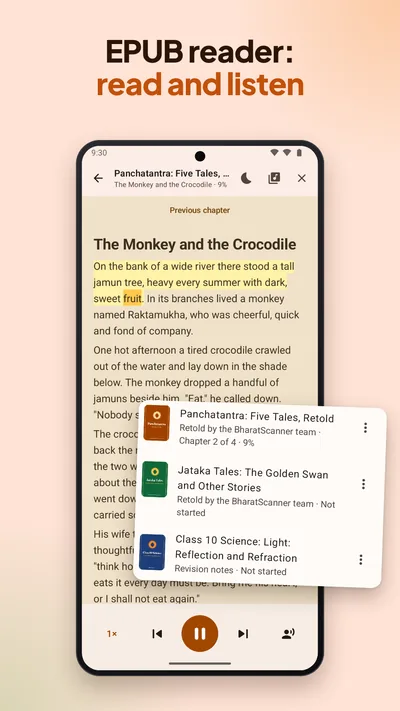
How to read an EPUB book on your phone
Open the book
Tap an EPUB in your file manager, downloads or WhatsApp and choose BharatScanner, or open the Books tab and tap Open EPUB. BharatScanner keeps its own copy, so the book opens even if the file is moved or deleted.
Read your way
Jump to a chapter from Contents, pick a text size from 14 to 32, and a page colour: Day, Sepia or Night. Keep screen on stops the phone dimming in the middle of a chapter.
Stop any time
Close it whenever you like. Next time, you carry on where you stopped.
Listen
Tap Listen and the book is read aloud in your phone's Google voices, English in an English voice and Hindi in a Hindi one. The sentence and the word being read are marked, and the page follows along.
Make it an audiobook
Make audiobook records the whole book on your phone, in the background. Save it to Music or share it.
Which books it opens
- EPUB 2 and EPUB 3 books. Fixed-layout books, such as comics, are shown simplified.
- Books locked by the shop they came from (Adobe, Kindle and other DRM) can't be opened, and BharatScanner tells you which lock it found.
- Natural voices: for English, download voices that sound like a person reading (about 60 MB, for 64-bit phones). They work offline too.