

What the RBI Assistant form asks for
Photograph
- JPG
- 20–50 KB
- 200 × 230 px
200 × 230 px is the preferred size. A live photo is also captured by webcam or phone during registration.
Signature
- JPG
- 10–20 KB
- 140 × 60 px
Left thumb impression
- JPG
- 20–50 KB
- 240 × 240 px
- 200 DPI
Left thumb impression, 3 cm × 3 cm at 200 DPI.
Handwritten declaration
- JPG
- 50–100 KB
- 800 × 400 px
- Black ink
- Not in capital letters
- 200 DPI
Write this in English in your own handwriting (not in capital letters), with black ink, 10 cm × 5 cm: "I, _______ (Name of the candidate), hereby declare that all the information submitted by me in the application form is correct, true and valid. I will present the supporting documents as and when required."
Make the files on your phone
Pick the form
Open BharatScanner, go to Tools › Forms and pick RBI Assistant. It lists every upload: Photograph, Signature, Left thumb impression and Handwritten declaration.
Make the photograph
Tap Photograph and take a photo against a light wall, or choose one from your gallery. The frame already has the form's shape.
Add your signature
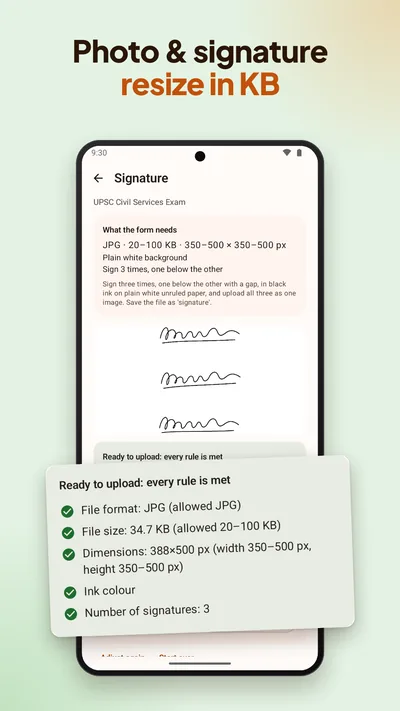
Sign on plain white paper, then tap Signature and take a photo of it, or choose one from your gallery.
Let it check
BharatScanner makes each file within the form's limits and checks it on your phone: file format, file size, pixel size, face size, sharpness and light in the photo, ink colour and capital letters. Anything off shows up as a warning before you upload.
Send the files
Each file is named after its upload, like photo.jpg. Save them, or send all the ready files to WhatsApp in one tap.
Rules kept current
BharatScanner checked these rules against the official notice on 24 October 2026. When a notice changes, the app can get the new sizes without an app update. Rules change, so always check the latest official notice before you submit.